WooCommerce quality shows in the purchase, not the score

When a shop feels slow or unreliable, the business effect is immediate: products are not understood, baskets are abandoned, payments fail, or orders do not arrive cleanly in the business.

A Lighthouse score can be a useful signal. It does not tell you whether a customer can select a variation, review the basket, pay and receive a reliable confirmation. Promises of a perfect score or guaranteed conversion uplift are not a serious basis for WooCommerce work.

The critical path is the business transaction

The most useful test follows the real journey: find and understand a product, choose a variation, review the basket, enter delivery and payment information, complete payment and receive the order confirmation.

Depending on the shop, stock, shipping rules, vouchers, emails, payment-provider returns and CRM or ERP handovers are part of the same chain. A single green test on the homepage cannot represent it.

Technical changes need context

Plugins, themes, caching and payment providers touch different parts of that journey. A change that reduces unnecessary work on a product page can affect a needed function elsewhere. The outcome depends on the installation, versions and configuration in front of you.

So an improvement should first identify the flows and dependencies it may touch. It is then tested in an appropriate environment, given a recovery option and observed after the change.

What matters to management

The question is not “What score can we achieve?” It is “Which improvement protects or makes an important transaction easier, and how will we notice if it makes that transaction worse?”

A small payment or order-handover error may matter more than a visible speed gain on a less important page. A page that is slightly slower may be acceptable if it sells reliably and does not depend on risky special logic.

Maintainability belongs to the result

A shop continues to change with new products, campaigns, updates and payment options. A technical improvement is dependable only when its effect is understandable, documented and testable again after relevant changes.

DKSIGN treats WooCommerce as a business process with a technical foundation. The next step may be a condition assessment, a contained clean-up or a focused improvement, with scope and success criteria agreed for the case.

WordPress emergency: why an update after wp2shell is not always enough

When a critical WordPress vulnerability becomes known, the first response is usually right: check versions and update affected websites. With the chain currently discussed as “wp2shell”, however, the work should not stop at the update.

A patch closes the known exposure going forward. It does not automatically answer the other important question: what happened before the gap was closed? That is not a reason for alarmism; it is a reason for a clear, traceable process.

Why “updated” does not always mean “checked”

After a security-relevant update, two things should be separated. First, the known attack surface is closed. Second, the condition of the website has been checked for plausible signs of unexpected change, new access or unfamiliar files.

That second part is easy to miss in day-to-day work. For a website processing leads, orders or customer information, it is part of responsible maintenance.

A practical first 30 minutes

Start by recording externally reachable WordPress installations and their versions, including staging, test and forgotten subdomain installs. Secure a current, consistent backup before further changes. Then check core, plugin and theme files for unexplained changes; review administrator accounts and access; and look at relevant web-server, WAF and WordPress logs for unusual requests or logins.

Finally, perform a brief smoke test of the normal business operation: contact forms, login, critical landing pages, payment and mail delivery as appropriate for the system.

When the check becomes an incident

One unusual log entry is not necessarily an incident. Unknown administrators, unaccounted-for PHP files, manipulated redirects or suspicious outbound connections merit a deeper, evidence-led response. Limit access where necessary, preserve evidence, assess the finding and plan remediation without hurried “clean-up clicks”.

Maintenance is a process, not an update button

Security notices will continue to appear. The useful preparation is a calm assessment process: know the estate, prioritise updates, verify backups, document changes and test critical functions.

CTA: The WordPress Security & Performance Check reviews your estate, update and backup process, access and key risks, with clear priorities rather than generic panic.

WooCommerce 11.0: why shops should test the August release in staging first

A delayed WooCommerce release is not a drama. It shows that a problem was found before broad release and is being tested further. For shop owners, the more important question is whether their own system has the same safety distance between a new release and the live shop.

WooCommerce initially moved version 11.0 from 28 July to 4 August 2026 after early RC1 testing identified a serious issue in a new performance feature under particular conditions. That is not criticism of WooCommerce. It is the normal reality of complex software, and a good prompt to keep your own process in order.

A shop update touches more than the plugin

Most WooCommerce shops combine payment providers, shipping logic, ERP or accounting connections, discount rules, product feeds, tracking, custom checkout fields and small code snippets. An update can install correctly while still changing a flow unique to that shop.

The basket may look normal while an order does not reach the ERP, a voucher behaves incorrectly or a checkout event disappears.

Test the actual dependencies

For WooCommerce 11.0, a documented change affects when woocommerce_removed_order_items runs. Shops without custom code or integrations using that hook are generally not affected; shops with bespoke order logic or connectors should test that dependency in staging before the live update.

What staging should test

Set out the critical purchase paths in advance: product variations, basket, vouchers, shipping methods, payment methods, checkout, confirmation and downstream handovers. Use realistic test data and combinations that occur in real work. Confirm that orders, payment status and line items arrive where they should: email, ERP, shipping, CRM, accounting and analytics.

Keep a clear rollback route: a tested backup, documented versions and someone able to make the decision. Rollback is not failure; it is professional risk control.

A better pace for live updates

After staging, agree an update window and run a short post-deployment test. For shops with ongoing revenue, avoid the busiest period. A release delay can even be useful time to refresh staging, identify integrations and clarify responsibility.

CTA: The WordPress Security & Performance Check brings visibility to critical dependencies, backup and restore readiness, and the next sensible steps for WooCommerce updates.

Tracking can be a security risk: securing GTM4WP and WooCommerce

Tracking is often treated as a marketing task: add a container, define events, measure campaigns. In a WooCommerce shop, however, tracking is also part of the technical attack surface.

A current GTM4WP notice illustrates the point. Tenable lists CVE-2026-16597 as a stored XSS issue through version 1.22.3 under a specific condition: the GTM4WP integration for WooCommerce order data must be enabled. The vendor states that the corrected 1.22.4 release is available.

What this means for marketing and shop operations

This does not mean that every shop using Google Tag Manager is compromised. It shows something more general: tracking code carries data through publicly reachable systems. It needs the same operational discipline as payment, form and login components.

When a plugin writes order data into a page or data layer, it is no longer only about measurement. It is also about how inputs are cleaned, rendered and tested after an update.

Check more than the plugin version

Version is the starting point. Then ask whether GTM4WP is installed and active, whether the affected integration is enabled, whether guest checkout is possible, which templates or admin views render order or tracking data, and whether checkout and measurement have a defined post-update test.

Update and tracking test belong together

After an update, run a test order where possible, check the confirmation and critical shop pages, confirm expected data-layer events, inspect only designated test signals in analytics, and document the result and version. The test does not need to be long; it needs to be repeatable and owned.

Plan major changes deliberately

The vendor describes GTM4WP 2.0 as a rebuild, initially offered as an opt-in beta. That is the appropriate approach for business-critical sites: a beta belongs in development or staging, not untested in a running shop. Later stable major releases should still test the container, data layer, consent integration and checkout measurement as one package.

CTA: The WordPress Security & Performance Check helps treat security updates, checkout and tracking as one traceable operating process.

When optimizations stop working, the system boundary has moved

Framing

Many web systems have a phase where optimization works predictably: introduce caching, simplify assets, improve data access, standardize images. At some point, the system reaches a state where these actions no longer move outcomes. This is often accurate. The reason is frequently not “performance is hard,” but “the system boundary has shifted.”

Technical core

Optimization works within a defined system. When the boundary diffuses, improvements are local while costs are global.

First: the website is no longer just the website.
Over time it becomes a junction: identity, CRM, product data, search, consent, analytics, experimentation, personalization, APIs. Runtime behavior then depends less on rendering and more on chains of external dependencies. Local refactoring has limited impact when critical path latency comes from upstream systems.

Second: the bottleneck moves from bandwidth to coordination.
Early constraints are request volume and payload size. Later constraints are decision ownership: who can change what, how changes are tested, how dependencies are versioned, how releases are verified. Performance becomes a byproduct of release coordination. Without responsibility, this looks like technical opacity. The mechanics are organizational and technical coupling.

Third: cache strategies reach complexity limits.
As variants increase (locale, login state, segmentation, dynamic content), simple caching stops working. This can be solved, but only if variants are controlled as an owned decision: what dynamism is operationally necessary, what is optional, what belongs in other layers. Without this, the system accumulates cache bypasses and exceptions, accelerating drift.

Fourth: metrics lose meaning when measurement points are wrong.
If teams keep measuring marketing pages while operationally critical journeys happen in search, forms, and account areas, optimization targets the wrong surface. This is a responsibility decision: which journeys matter, which measurement points are decision-grade, what “good” means for a release.

Fifth: optimization gets reduced to tuning.
Tuning is local. Mature systems periodically require boundary decisions: reduce dependencies, redraw responsibilities, limit variants, stabilize the release path, and restore operability. These decisions are less visible than tuning, and more effective.

When optimizations stop working, it is often a signal that operational reality has expanded the system. The next step is not another fix. It is an explicit definition of what the system is, technically and in ownership.

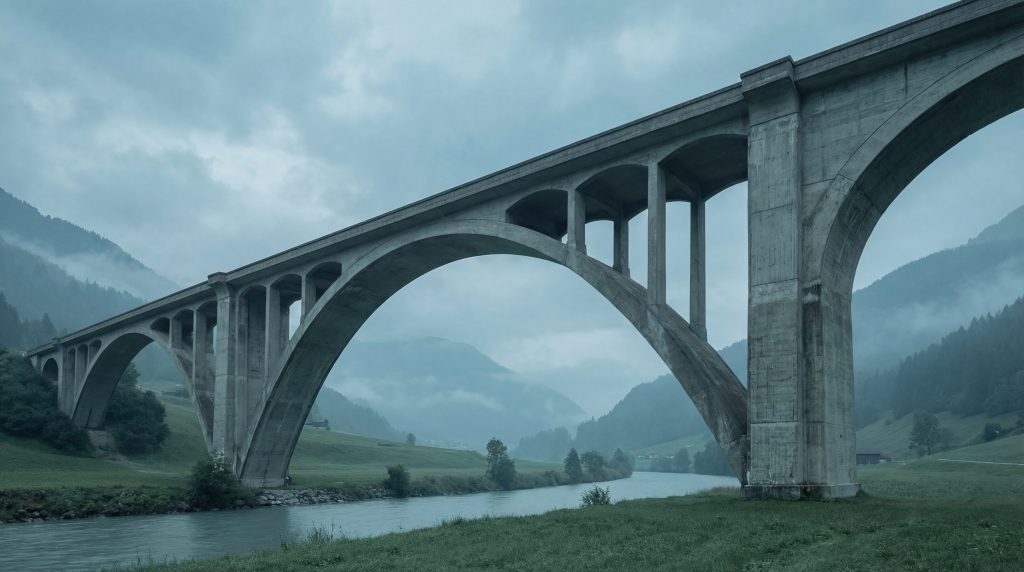
Concrete viaduct/bridge structure, calm and understated

Consequences when responsibility is unclear

  • Performance work loses legitimacy because effort does not visibly change outcomes, accelerating operational erosion.
  • Roadmaps destabilize because releases carry more external effects than assumed.
  • Dependencies become uncontrolled, because “it is needed” becomes sufficient justification.
  • Operations become reactive, because impact is understood only after deployment.

Closing reflection

In operational websites, the most effective optimization is often a clearly drawn system boundary, and ownership that keeps it stable over time.

When “Someone Should Take Care of This” Becomes a Business Risk

The Situation

It’s not the first time the conversation goes this way. And it’s not the first time nobody in the room can explain what exactly happened, why it happened, and what was done to fix it. Someone did something. The site is running again. That’s all anyone knows.

At another company, a few weeks earlier, a similar picture. A managing director staring at an error message in his browser. The WordPress site showing a white screen. He knows the system has been running for years, that various agencies and freelancers have worked on it, that at some point it was “handed over” internally. But he can’t name who’s responsible for it now. Not in the sense of “who has access to the server,” but in the sense of: Who makes the decisions? Who knows the system well enough to assess what’s actually happening?

The team knows that “someone built this.” There might be a Slack channel where technical questions get posted. There might be a freelancer who last responded a year ago. There might be an agency whose contract expired but who’s supposed to be “still available in emergencies.” What there isn’t, is a person who carries the responsibility. Not the blame when things go wrong — but the capability and the mandate to make decisions before things go wrong.

When nobody carries those decisions, updates get deferred. Not because the team is negligent, but because nobody is authorized to evaluate and bear the risk of an update. And so the system remains in a state that nobody actively chose, but that becomes harder to change with every passing month.

The Mechanism

Ownership gaps rarely appear suddenly. They develop in a process that almost always follows the same pattern.

It starts with a website as a project. An agency or freelancer builds it. There’s a project manager on the client side who gives feedback, delivers content, grants approvals. The roles are clear: the agency builds, the client signs off. After launch, there might be a maintenance contract for a few months. Then the collaboration ends, or it fades because nobody actively renews it.

What remains is a running system with no defined owner. The original project manager has long since moved on to other responsibilities. The agency handed over the documentation — if there was any. The login credentials sit in a password manager that three people can access, one of whom has left the company.

This is where something begins that’s best described as gradual fragmentation. The marketing lead gets access to the WordPress backend to publish blog posts. An intern updates a plugin because WordPress displays a warning. An external SEO consultant installs a tracking plugin. A new developer is hired for a feature and asks: “Why is this plugin here?” Nobody knows. So it stays.

Each of these actions is harmless on its own. Together, they produce a system that multiple people can modify but nobody oversees. There’s no place where it’s recorded why things are the way they are. No decision log. No architecture overview. No person who can say: “That plugin is there because we changed the shipping cost calculation in 2023, and it’s required by the integration with our fulfillment provider.”

Technical debt accumulates in this situation not through deliberate decisions, but through the absence of decisions. Nobody decides whether a plugin should stay or be removed. Nobody decides whether the PHP version should be updated. Nobody decides whether the hosting plan still matches the current traffic. Things simply remain the way they are — until they stop working.

The Consequences

The most immediate consequence is that updates feel risky, even though they’d often be technically straightforward. The reason isn’t the complexity of the update itself — it’s the lack of knowledge about the system. When nobody knows which plugins interact with each other, which custom code modifications exist, and which database structures were created by which plugin, every update is an equation with too many unknowns. The rational response to that is avoidance. And that’s exactly what happens.

The second consequence is subtler but more expensive: opportunities get missed because nobody knows who’s allowed to say “yes.” The marketing lead wants a new landing page for a campaign. That would require installing a plugin or modifying a template. But who decides? The marketing lead doesn’t feel responsible for technical changes. The executive team doesn’t have time to deal with plugin decisions. The freelancer who last worked on the system doesn’t respond immediately. So the campaign waits. Not days — sometimes weeks.

The third consequence shows up during emergencies. When the site goes down and someone intervenes under time pressure without knowing the system, problems often aren’t solved — they’re displaced. A plugin gets deactivated because it caused the error message — but it also provided a function whose absence isn’t noticed until days later. A database table gets repaired, but the cause of the corruption remains. The site runs again, but the system is less stable than before.

The real cost factor isn’t any single outage. It’s the uncertainty that slows down every decision. Teams that don’t know who’s responsible for their most important digital system make fewer decisions. They implement less. They react instead of shaping. And over time, the website transforms from a business instrument into a risk factor that everyone would rather not touch.

What Changes the Pattern

Clear ownership doesn’t mean one person does everything. It means one person carries the decisions. That’s a fundamental difference.

In practice, it looks like this: there’s a clearly named person — internal or external — who knows the state of the system, who understands what dependencies exist, and who is authorized to make decisions about updates, changes, and priorities. This person doesn’t need to update every plugin themselves. But they need to know what happens when a plugin gets updated. And they need to be able to decide when it happens.

The second building block is documenting decisions, not just code. Most technical documentation describes how something works. What’s missing is the why. Why was this plugin chosen? Why is the site structure set up this way? Why does this custom function exist? When the why is documented, any new person working on the system can make decisions with the right context — instead of flying blind.

The third building block is regular check-ins instead of emergency-only contact. Most companies only talk to their technical provider when something isn’t working. That means every conversation happens under pressure, decisions are reactive, and preventive measures systematically fall short. A monthly or quarterly exchange — brief, structured, without an acute trigger — fundamentally changes the dynamic. Problems get identified before they escalate. Decisions get made when there’s still time to think.

What Comes Next

If while reading this you thought about your own system — about the question of who actually makes the decisions, who truly knows the system, and whether there’s clear accountability — then that’s a good starting point for a conversation.

Reach out through our contact form. No commitment, no sales presentation. We listen, ask a few questions, and give you an honest assessment of whether and where an ownership gap exists — and what a realistic next step would look like.

Get in touch →

How We Reduced Deployment Risk Through Staging Environments

The Situation

An agency just pushed a plugin update, directly to the live system. Since then, the checkout page won’t fully load. Some customers see a white screen, others a PHP error message. Every minute it stays that way is a minute where orders aren’t being completed.

When we look at the system, we see a picture we recognize. There’s no second server. No Git repository. No version control. No staging environment. The entire shop, with all customer data, all order processes, all integrations with inventory management and payment providers, runs on a single WordPress installation. And every change, whether it’s a plugin update or a theme adjustment, happens right where customers are shopping.

In many companies, there’s an informal rule for this that everyone knows but nobody has written down: “Don’t deploy on Friday.” It sounds sensible. In truth, it’s a symptom. Because translated, it means: we know that any update can break our shop, and we have no mechanism to prevent that. So we avoid it before the weekend begins, because there’s nobody around to fix it.

What’s worth noting: this setup rarely develops out of negligence. It builds up over years. It starts with a simple WordPress shop. Maybe ten orders a week. The agency that built it works directly on the server because things need to move fast and the overhead of a separate environment is disproportionate to the project. At that point, it’s an understandable decision.

Then the shop grows. New payment methods are added. An ERP gets connected. Custom functionality is developed. The plugin directory fills up to 30, then 40 entries. And at some point, the system processes 200 orders a day, but the infrastructure behind it is still the same as when it handled ten orders a week. Nobody decided on any particular day that it should be this way. It just happened.

This isn’t an unusual story. We see this pattern in a significant share of the inquiries that reach us. Companies with six-figure monthly revenues running through WordPress, whose entire digital value creation sits on a system with no safety net.

The Mechanism

To understand why changes directly on the live system represent a structural risk, it helps to distinguish two layers.

The first layer is visible. When someone modifies a CSS file, adjusts a shortcode, or updates a plugin, the effect is immediate on what every visitor sees. There’s no intermediate step. No preview. No “Does this look the way we intended?” before the moment it’s live. The change is there instantly, for the developer just as much as for the customer who’s currently in the checkout.

The second layer is invisible, and therefore more dangerous. WordPress stores a substantial portion of its configuration in the database. Plugin settings, widget assignments, menu structures, page builder layouts, WooCommerce tax rules, none of this lives in files that can be versioned. It sits in database tables. When a plugin creates tables or modifies existing entries upon activation, it happens without a log. There’s no automatic “before” state to return to. A manual database backup, if one even exists, is often hours or days old.

This means: even if someone reverts the files on the server via FTP, the database may be in a state that doesn’t match the old files. Recovery becomes a puzzle where not all the pieces fit together.

What this creates in daily work is a kind of permanent low-level tension. The developer pushing an update knows they’re operating on a live system. The marketing lead publishing a new landing page hopes that last week’s page builder update hasn’t changed anything. The managing director feels a slight unease when they get the message that “a few updates will be done today.”

Over time, this produces avoidance behaviors that appear rational but obscure the actual problem. Updates get postponed, not by weeks, but by months. New features aren’t implemented because the effort required for troubleshooting afterward seems incalculable. And when an update finally becomes unavoidable, because a security vulnerability needs to be patched, for instance, it’s deployed with a feeling that resembles gambling more than a controlled process.

The Consequences

The consequences of this setup rarely show themselves in a single major incident. They’re distributed across many small moments that individually seem manageable but add up to significant costs.

Weekend emergency calls become normal. Not every weekend, but often enough that the people responsible never fully switch off. The developer who maintains the shop checks first thing Saturday morning whether everything is still running. That’s not diligence. That’s a warning sign.

This permanent on-call state has an impact on team stability. Good developers recognize when a system is structurally fragile. They know they’re not being measured by the quality of their work, but by whether everything stays standing after their last deployment. That’s an environment people leave. Not because of salary, not because of a lack of appreciation, but because the working conditions don’t allow for clean work. If you’re searching for experienced WordPress developers and can’t retain them, it’s worth examining whether your infrastructure is a factor.

Features get delayed or never implemented at all. The product page redesign that’s been planned for months gets postponed because nobody can assess how the new templates will affect the existing system. The CRM integration waits because the last plugin update caused three hours of rework and there’s no capacity right now for a risk of that magnitude. An innovation backlog develops that looks like slowness from the outside but feels like self-preservation from the inside.

And then there are the concrete, quantifiable damages. A WooCommerce shop with 200 orders per day and an average cart value of 80 euros generates roughly 16,000 euros in daily revenue, about 670 euros per hour. A downtime of four to six hours, which is not an unrealistic scenario for a failed update without rollback capability, means a direct revenue loss of 2,700 to 4,000 euros. Add the cost of recovery: emergency hourly rates, internal work hours, communication with customers whose orders were affected. And a factor that can’t be expressed in euros: the trust of customers who might order somewhere else next time.

This calculation isn’t dramatized. It’s conservative. And it describes an event that can occur with every single update in a system without a staging environment.

What Changes the Pattern

The pattern isn’t broken by individual measures. It changes through a different structure. The foundation is a three-environment model that divides the development process into controlled stages.

The first environment, the development environment, is where things are built, tested, and discarded. Here, developers can update plugins, change code, and experiment with new features without any customer being affected. Errors here are welcome, because every error that occurs here is one that never makes it to the live shop.

The second environment, staging, mirrors the live system as closely as possible. Same server type, same PHP version, same database configuration, ideally a recent copy of production data. This is where you verify that what worked in development also works under real-world conditions. The marketing lead can review the new landing page. The managing director can click through the new checkout flow. The technical lead can measure load times. And if something isn’t right, it gets corrected here, not on the system where customers are currently shopping.

Only once staging has been reviewed and approved do changes move to the third environment, production. The live system.

The second building block is automated deployments. Instead of someone uploading files via FTP and hoping nothing was forgotten, a defined process handles the transfer. What was approved in staging is pushed to production through a script or pipeline. Always the same way. Always complete. No human error in the transfer step.

The third building block is rollback capability. If something isn’t right after a deployment despite all testing, the previous state can be restored within minutes. Not through frantic searching through backups, but through a controlled step backward. This changes the entire risk calculation: a deployment is no longer an event that can go wrong and then costs hours. It’s a process that, in the worst case, takes two minutes before everything is back to the way it was.

The fourth building block is often the most underestimated: identical server configurations. If the staging environment runs on a different server type than production, with a different PHP version or different memory limits, it creates exactly the problems that staging is supposed to prevent. The well-known “works on my machine” isn’t a joke among developers, it’s a symptom of differing environments. Only when staging and production are technically identical does testing there carry real validity.

What changes through this structure isn’t just the technology. It changes how a team works with its system. Updates are applied when they’re available, not only once the pressure becomes great enough. Features get implemented because the risk has become calculable. And Friday afternoons feel like any other afternoon.

What Comes Next

If you recognized your WordPress shop or website in the description above, not in every detail, but in the general pattern, that’s not cause for alarm. It’s a starting point.

We offer a 90-minute diagnostic where we walk through your current infrastructure together with you and your team. No sales presentation, a structured analysis: Where does your system stand? What dependencies exist? And what would be a realistic path toward a setup where updates are no longer a risk but a routine?

At the end of those 90 minutes, you’ll have a clear picture, regardless of whether you choose to work with us afterward or not.

Schedule a diagnostic →

If you’d prefer to clarify a specific question first, you can also reach us through our contact form. We’ll get back to you within two business days.

Get in touch →


Published on February 18, 2026
Reading time: approximately 10 minutes
Categories: WordPress, WooCommerce, Deployment, Workflow
Maintenance is an activity, responsibility is a system state

Framing

In production environments, maintenance is often packaged as a service concept: updates, backups, occasional fixes. Maintenance is necessary work. It is not an answer to the question of who owns technical decisions over time, and how those decisions remain operationally valid.

Technical core

Maintenance addresses events: an update is available, a vulnerability exists, an extension becomes incompatible. Responsibility addresses structure: who decides what may be part of the system, how changes are assessed, how risk is distributed, and how operability is demonstrated.

The difference becomes visible as systems age.

First: component growth forces decisions.
Extension-driven architectures reward fast expansion. Each component adds its own release cycle, dependencies, runtime cost, and data behavior. Maintenance can keep components current. Responsibility must decide whether a component belongs in production at all, and how it remains sustainable over years.

Second: updateability is an architectural property.
If updates regularly cause regressions, this is rarely a pure maintenance problem. It is a design problem: tight coupling, missing tests in relevant layers, unclear separation between code and content, uncontrolled side effects. Maintenance becomes permanent firefighting. Responsibility defines the structural changes that restore updateability.

Third: operational safety requires traceable decisions.
During incidents, the critical question is not “what is broken,” but “what changed.” Maintenance without decision documentation leaves no chain. Responsibility establishes a decision history: why caching changed, why a component stayed, why a deployment window exists, why a dependency was accepted.

Fourth: risk accumulates in the gaps.
Many risks live in transitions: CDN to origin, identity to application, form to CRM, analytics to consent, content change to cache invalidation. Maintenance often does not treat these gaps as owned territory. Responsibility defines them as operational surface.

Fifth: operations need SLO-like clarity even without SRE language.
Not as a trend, as a consequence. Acceptable response time ranges, tolerable error rates, what counts as degradation versus incident. Maintenance can measure. Responsibility defines what measurements mean and what consequences follow.

Maintenance keeps a system running. Responsibility keeps a system operable.

Numbered inspection panels, traceability as operational reality

Consequences when responsibility is unclear

  • System decisions are made backward, after disruptions, rather than before.
  • Architectural debt stays invisible because visible bugs are prioritized while structural risks remain ownerless.
  • Cost becomes background noise: more debugging time, more coordination, more exceptions.
  • Operability cannot be demonstrated, only asserted, until it fails.

Closing reflection

Maintenance is routine. Responsibility is the structure that prevents routine from becoming the only operational mode.

Performance drift is an operational phenomenon, not a frontend problem

Framing

Once a website becomes part of day-to-day operations, its behavior changes without requiring visible feature work. Integrations accumulate, content patterns shift, runtime conditions evolve, and traffic composition changes. In stable periods, this stays unnoticed. In production reality, it becomes a persistent system condition.

Technical core

Performance drift describes the gap between “fast once” and “fast over time.” This gap rarely comes from a single mistake. It emerges from structural mechanics.

First: production coupling is unavoidable.
A staging environment can be fast because data volume, cache state, third-party dependencies, and request diversity do not match production. In production, object sizes, query profiles, image distributions, edge cache behavior, bot traffic, and upstream latency are different. Performance becomes an emergent property of operational reality, not a static attribute of code.

Second: extensibility produces drift by design.
In extension-driven architectures (WordPress as one example), performance is not a closed outcome. Each extension changes data access patterns, render paths, hook chains, asset graphs, and cache invalidation behavior. Over time, the question is not “how to optimize,” but “who decides what is allowed to change the runtime profile.” Drift is a responsibility problem before it is an optimization problem.

Third: optimization without a budget is temporary relief.
Local actions can be effective: compressing images, reducing scripts, improving single queries, tuning caching. They remain effective until the next dependency or integration arrives. Without an explicit performance budget that functions as a technical boundary, each change looks small enough. The cumulative effect is not small.

Fourth: caching reduces load and increases state space.
Edge caching, server caching, object caching, browser caching, fragment caching: each layer has rules. Drift accelerates when these rules become implicit: content changes but cache invalidation does not, cache aggressiveness grows without clear staleness boundaries, debugging time increases, and operational stability starts relying on cache luck instead of deterministic architecture.

Fifth: observability often misses the relevant layers.
A synthetic check that the homepage loads does not replace correlation across real requests, TTFB distributions, origin error rates, and third-party latency. Drift becomes something that is felt rather than measured. In operational systems, “felt” is not a basis for decisions.

Performance drift is not a sign of missing discipline. It is the expected outcome when responsibility is not treated as an operational property: what changes are permitted, how impact is measured, and who owns the consequences over time.

Cable trays and conduits, dependency wiring as context

Consequences when responsibility is unclear

  • Release risk increases because every change can touch runtime paths that are no longer fully understood.
  • Incident cost increases because causes do not sit in a single bug but in interactions between caches, data shape, dependencies, and traffic.
  • Decisions become defensive because change is treated as inherently uncontrollable; adaptability declines and long-term cost rises.
  • Shadow optimizations emerge where isolated teams “make it faster” locally without a shared budget or traceable rationale, creating architectural drift on top of performance drift.

Closing reflection

In mature systems, performance is not an achievement. It is a responsibility structure that remains effective across many releases.

Why Your WordPress Website Gets Slower Over Time

If your WordPress website feels slower today than it did a year ago, you’re not imagining it.

This is one of the most common patterns I see when working with established WordPress sites. In most cases, the reason has very little to do with hosting or a single bad plugin.

Slowness Is Usually a Process, Not an Event

Websites rarely become slow overnight. Performance usually degrades gradually, as small decisions accumulate over time.

A new plugin here, a page builder section there, a quick workaround instead of a proper fix. Each change may seem reasonable on its own. Together, they form a system that becomes harder to understand, optimize, and maintain.

The Hidden Cost of Convenience

Many performance problems start with convenience-driven choices. Page builders, multipurpose plugins, and feature-heavy themes can speed up initial delivery, but they often introduce long-term overhead.

This does not mean these tools are always wrong. It means they come with trade-offs that are rarely revisited once a site is live.

Why Performance Fixes Often Don’t Stick

It’s common to run a performance audit, apply a set of optimizations, and see short-term improvements. Without addressing the underlying structure, those gains tend to fade.

As soon as new content is added or another feature is introduced, the same issues resurface. The system has not changed. Only the symptoms were treated.

Performance Is an Architectural Question

Sustainable performance comes from clear architecture. That means understanding data flows, responsibilities, and constraints. It is about knowing which parts of the system matter most and keeping them simple.

This kind of clarity does not come from one-off fixes. It comes from ongoing attention and informed decisions over time.

What to Do If Your Site Is Already Slow

If your WordPress site has been around for a while, the goal is not perfection. The goal is regaining control.

  • Identify where complexity has accumulated
  • Reduce what no longer adds value
  • Make future changes more predictable

Performance improves naturally when a system becomes easier to reason about.

Long-Term Performance Is a Practice

The fastest WordPress sites I work with are not the ones with the most aggressive optimizations. They are the ones that are reviewed, adjusted, and maintained continuously.

Performance is not a checkbox. It is the result of how decisions are made over time.


If your site feels harder to maintain or slower with every change, an external technical perspective can help bring clarity.

Get in touch if you want to discuss where performance and complexity might be holding your site back.